
Information management for clinicians


ABSTRACTClinicians are bombarded with information daily by social media, mainstream television news, e-mail, and print and online reports. They usually do not have much control over these information streams and thus are passive recipients, which means they get more noise than signal. Accessing, absorbing, organizing, storing, and retrieving useful medical information can improve patient care. The authors outline how to create a personalized stream of relevant information that can be scanned regularly and saved so that it is readily accessible.
KEY POINTS
- The first step in information management is to become aware of relevant new information in your area of practice and set up feeds of information from reliable and authentic sources. These feeds should be accessible from any computer or mobile device and scanned regularly.
- Useful information you come across in various digital streams needs to be bookmarked for future search and retrieval. Social bookmarking lets you create bookmarks you can share across other devices and with other people and retrieve with an Internet search.
- Cloud storage services have apps for most platforms and devices, providing search tools and the ability to share articles or “folders” with other users. The information is “synced” between all devices so that the most up-to-date version is always available, regardless of location and device.
PUTTING IT ALL INTO PRACTICE
Once you have become familiar with Inoreader and Diigo (see Information Management for Clinicians for step-by-step instructions), the following scenario shows how to adapt them into an efficient workflow.
Dr. Smith has a smartphone, a tablet, a laptop at home, and a desktop at work. She signs onto Google Chrome as her preferred browser on all devices. This seamlessly loads her Diigo extension when she is using a laptop or desktop. She has set her RSS feeds for her preferred journal TOCs and medical news sites to be downloaded to Inoreader. (For details on how to add a medical journals feed bundle and a medical news feed bundle, visit Information Management for Clinicians.)
Instead of reading paper journals, Dr. Smith browses her customized up-to-date “magazine” on Inoreader. When she comes across a relevant article, she marks it as “favorite.” If she has more time, she visits the web page, reviews the information, and saves it to her Diigo library with annotations if appropriate.
When searching for information on the web, she uses Google—without having to remember if she bookmarked information related to the search term. The Diigo extension in her browser automatically searches and displays information from her Diigo library next to her Google search results, and she can instantly see her notes from the last time she read the article.
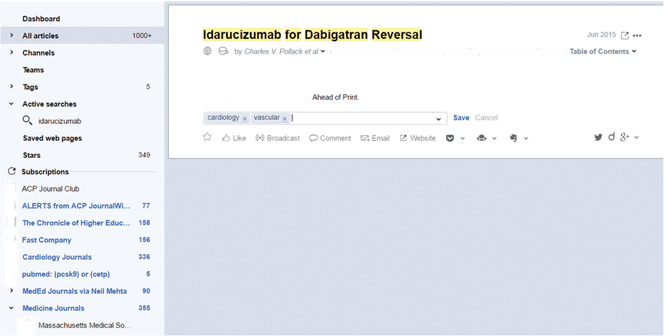
Relating this workflow to the example of the dabigatran story above, Dr. Smith sees an article about dabigatran reversal while viewing her N Engl J Med medical news feed on her feed-reader. She marks it as a favorite and tags it with the key terms “cardiology” and “vascular” (Figure 3).
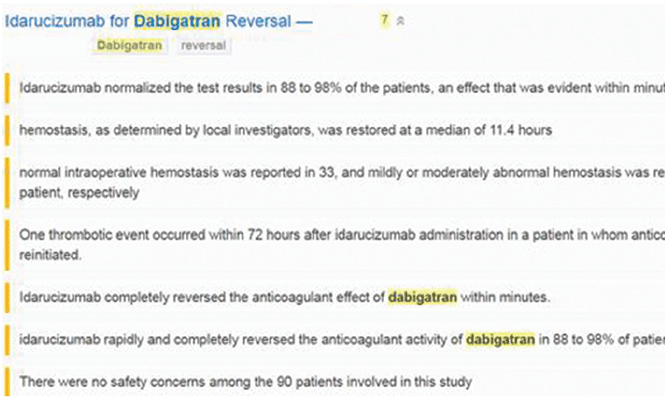
Dr. Smith later returns to look at her favorite feed items and visits the article on the N Engl J Med website. She annotates the article and saves it to her Diigo library (Figure 4).
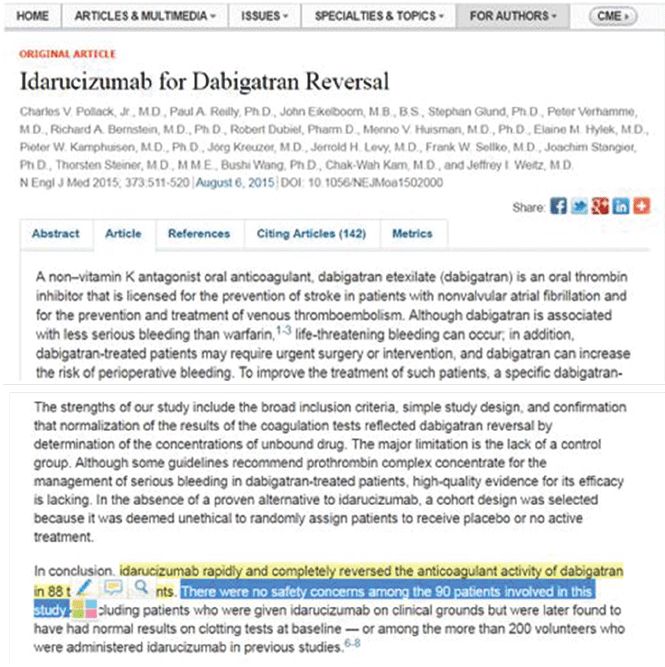
Since this information is highly relevant to her practice, she also visits the N Engl J Med website to read the full article and the accompanying editorial (Figure 5). She annotates these and also saves them to her Diigo library.
Later, if she searches Google for dabigatran (using her default Google Chrome browser with Diigo extension), she will see the usual Google search results and twinned Diigo bookmarks (Figure 6).
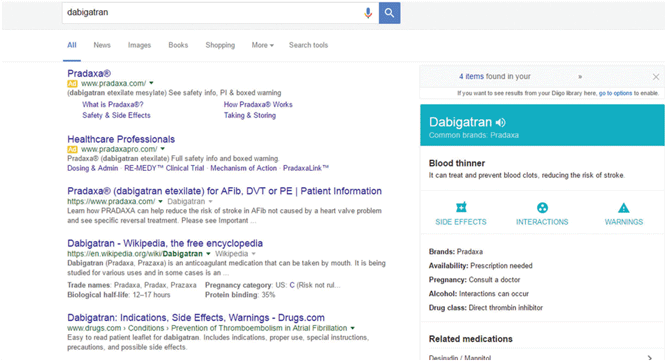
If she clicks on one of the links, the browser will load the web page with all the annotations that she made when she first visited.
CONCLUSION
The strategies and tools we describe here let you create a personalized and constantly updated medical news “magazine,” accessible from any of your web-enabled devices. They can transform the Internet into a searchable notebook of personally selected, annotated information, helping you to more easily stay up to date with advances in your field of practice, and to more easily manage the modern information overload.


